
Colour System
Contents
The Colour System page provides developers with detailed guidelines on how to implement and manage colors in the design system. Below is the structured documentation for the page based on the provided content.
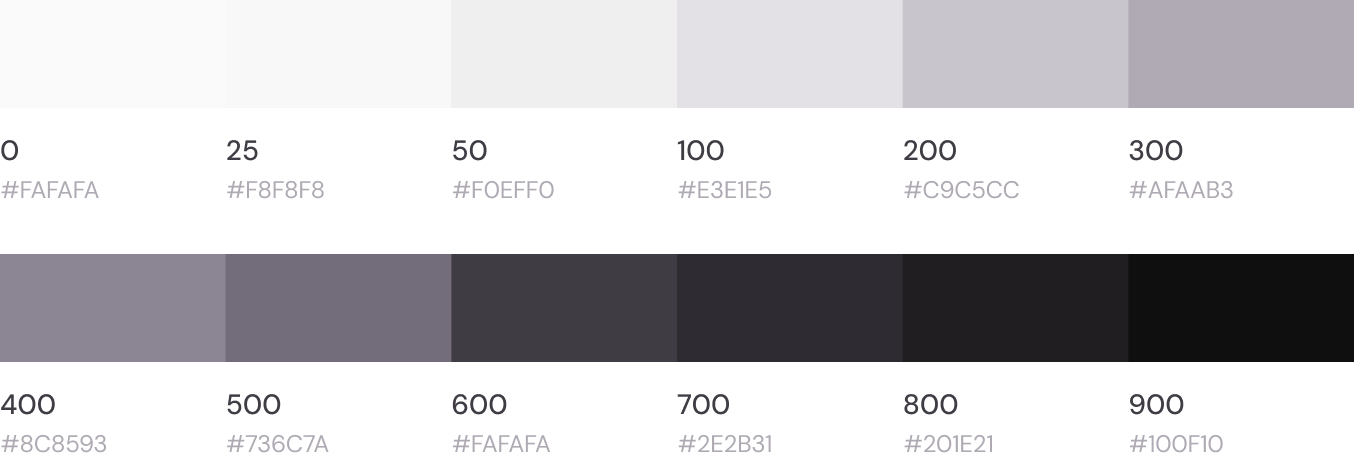
Neutral Colors
These colors are responsible for managing the appearance and transitions between light and dark modes.
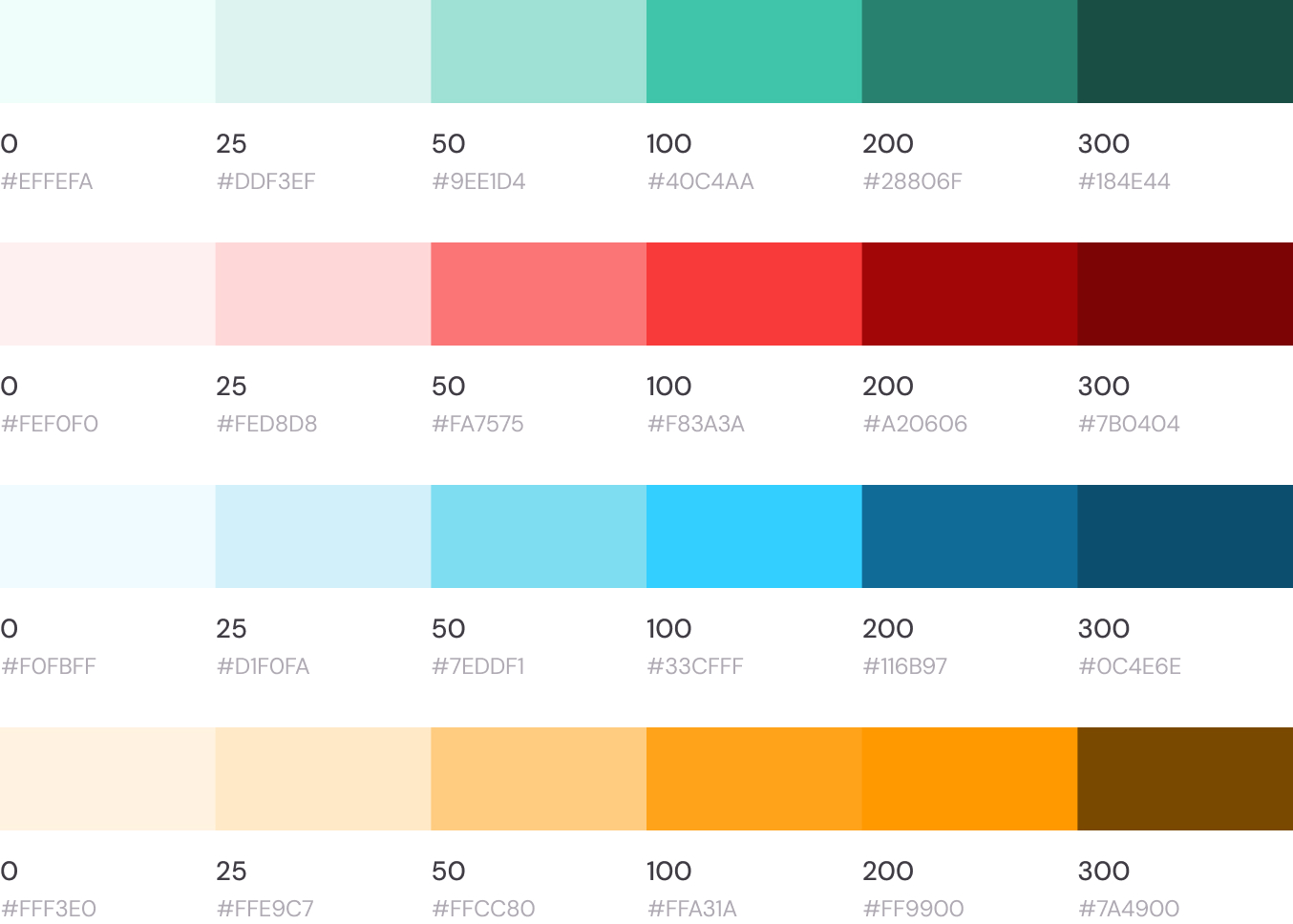
Alert Colors
These colors are designated for alerts, such as green for success, red for failure, and others.
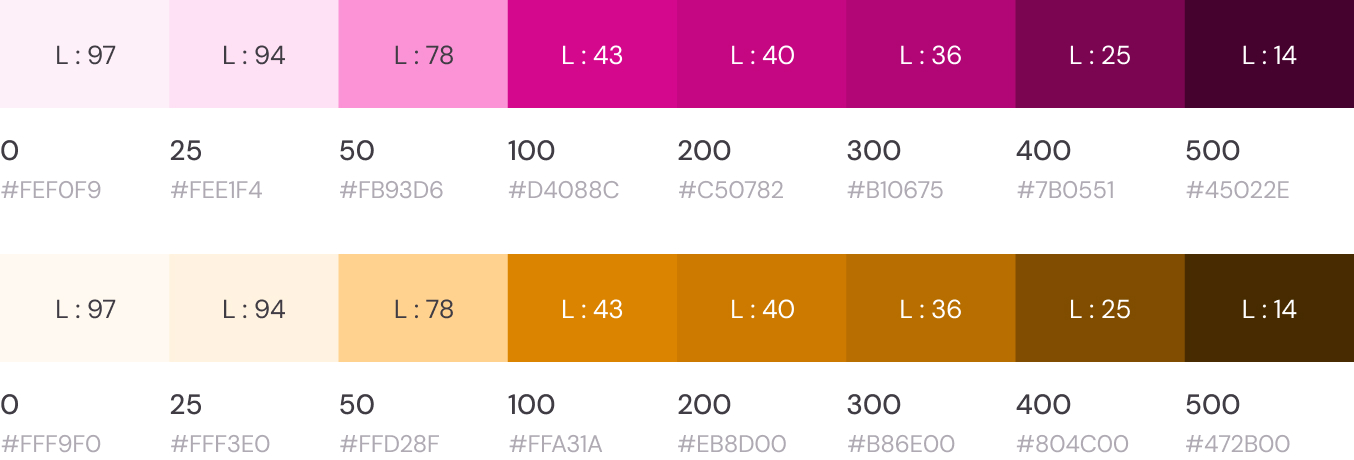
Primary and Secondary Colors
These represent the client’s visual identity and are defined as pre-set variables by developers for consistent use.
Defining Primary and Secondary Colors
To ensure proper functioning of the design, 8 variables must be defined for both the primary and secondary colors.
CSS
var(--tt-primary-0)
var(--tt-primary-25)
var(--tt-primary-50)
var(--tt-primary-100)
var(--tt-primary-200)
var(--tt-primary-300)
var(--tt-primary-400)
var(--tt-primary-500)
CSS
var(--tt-secondary-0)
var(--tt-secondary-25)
var(--tt-secondary-50)
var(--tt-secondary-100)
var(--tt-secondary-200)
var(--tt-secondary-300)
var(--tt-secondary-400)
var(--tt-secondary-500)
Header Color Linking
In order to align the header with the client’s updated brand identity, the header colors should dynamically reflect any custom changes made to the primary and secondary theme colors.
When a client modifies the default colors, ensure the following CSS variables are mapped accordingly:
--tt-header-secondary-100: var(--tt-primary-100);
--tt-header-secondary-300: var(--tt-primary-300);
--tt-header-primary-500: var(--tt-primary-500);
This setup ensures header elements adapt to the updated client color theme, maintaining visual consistency.
Steps for Generating Variables
To ensure proper functioning of the design, 8 variables must be defined for both the primary and secondary colors.
Purpose in the Project
Retrieve the main color from the settings in the control panel.
Convert to HSL Format
Convert the color to the HSL (Hue, Saturation, Lightness) format.
Extract H & S Values
Use the hue (H) and saturation (S) values of the primary/secondary color. Assign the lightness (L) values as per the table below.
Convert Back to HEX
Convert the adjusted HSL values back to HEX and assign them to the corresponding variables.
| Lightness (L) | Variable |
|---|---|
| 97% | var(--tt-[primary/secondary]-0) |
| 94% | var(--tt-[primary/secondary]-25) |
| 78% | var(--tt-[primary/secondary]-50) |
| 43% | var(--tt-[primary/secondary]-100) |
| 40% | var(--tt-[primary/secondary]-200) |
| 27% | var(--tt-[primary/secondary]-300) |
| 25% | var(--tt-[primary/secondary]-400) |
| 14% | var(--tt-[primary/secondary]-500) |
CSS
:root {
--tt-primary-0: #f9f9f9;
--tt-primary-25: #f0f0f0;
--tt-primary-50: #c0c0c0;
--tt-primary-100: #707070;
--tt-primary-200: #606060;
--tt-primary-300: #404040;
--tt-primary-400: #303030;
--tt-primary-500: #101010;
}Last updated 3 months ago