
Guidelines
Theming
Contents
The Colour System page provides developers with detailed guidelines on how to implement and manage colors in the design system. Below is the structured documentation for the page based on the provided content.
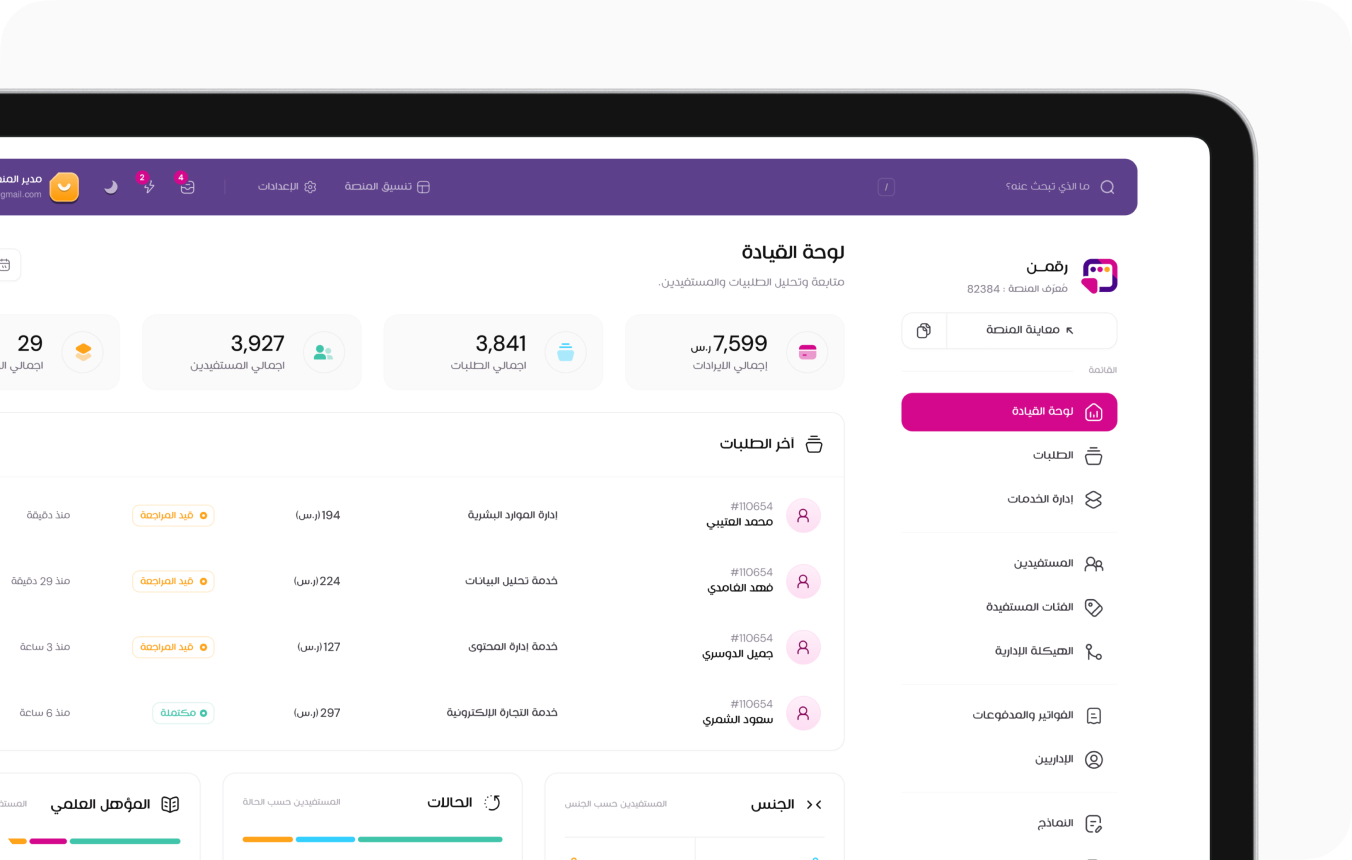
Modern Layout
- The header spans the full width of the page.
- The sidebar is positioned below the header, alongside the main content.
- The layout provides a clean, spacious look for modern applications.
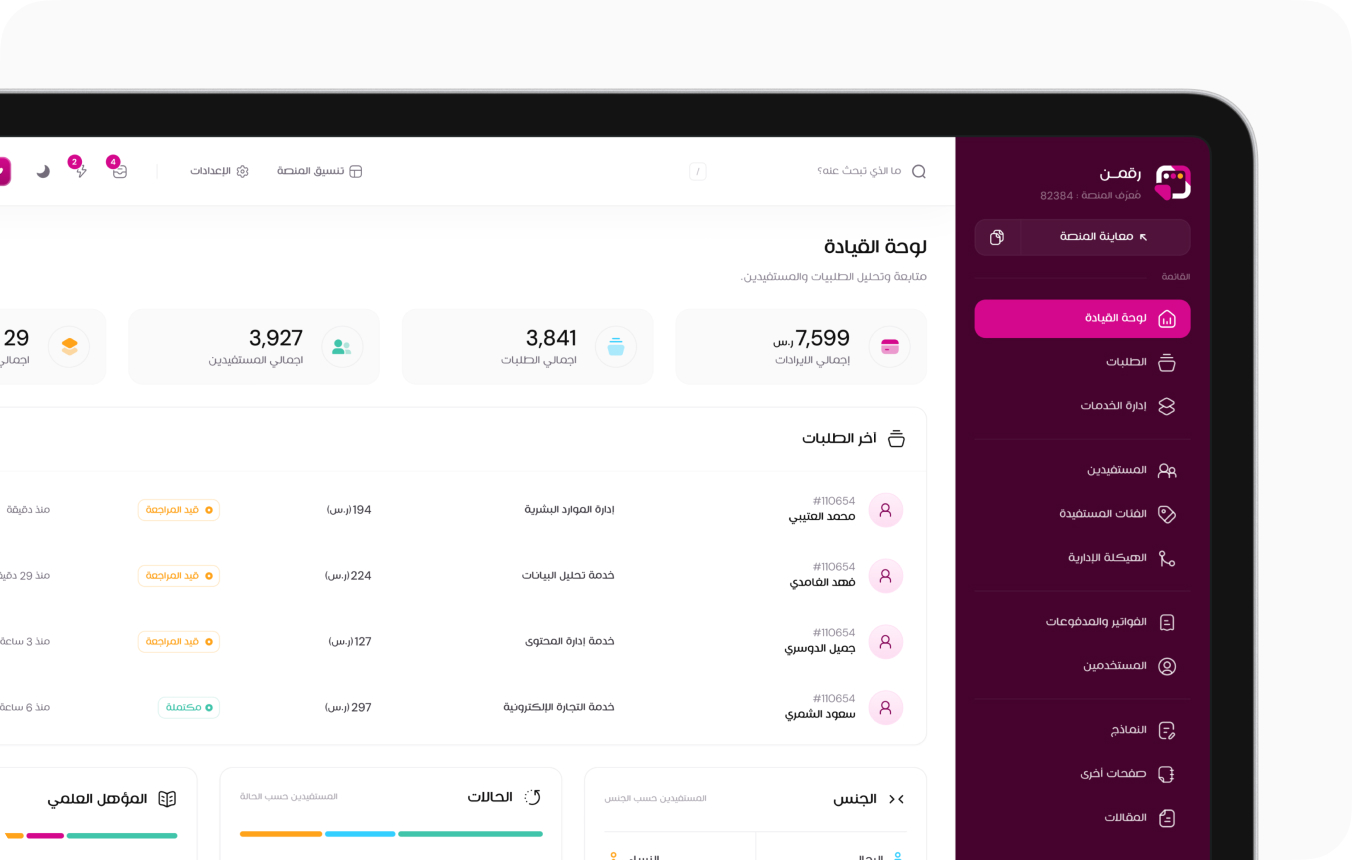
Classic Layout
- The sidebar takes the full height of the viewport.
- The header and content are positioned to the left, allowing for a more traditional dashboard experience.
Structural Differences in Code
Each layout uses different class structures to define the styling and behavior.
HTML
<header class="header"></header>
<div class="container-fluid">
<aside class="sidebar-col"></aside>
<main class="page-content"></main>
</div>
- The .container-fluid is outside the grid system, making the layout more flexible.
- The .header--light class is added for visual differentiation.
- The .sidebar-col--dark class ensures the sidebar follows a distinct style.
- The .container-fluid is placed inside the .page-content and header, making the layout more structured.