
Blocks
 Last updated 3 months ago
Empty
Contents
Empty states are used to inform users when no data is available in a particular section. They provide context on why the section is empty and offer guidance or actions to help users proceed, such as adding new entries or checking for updates.
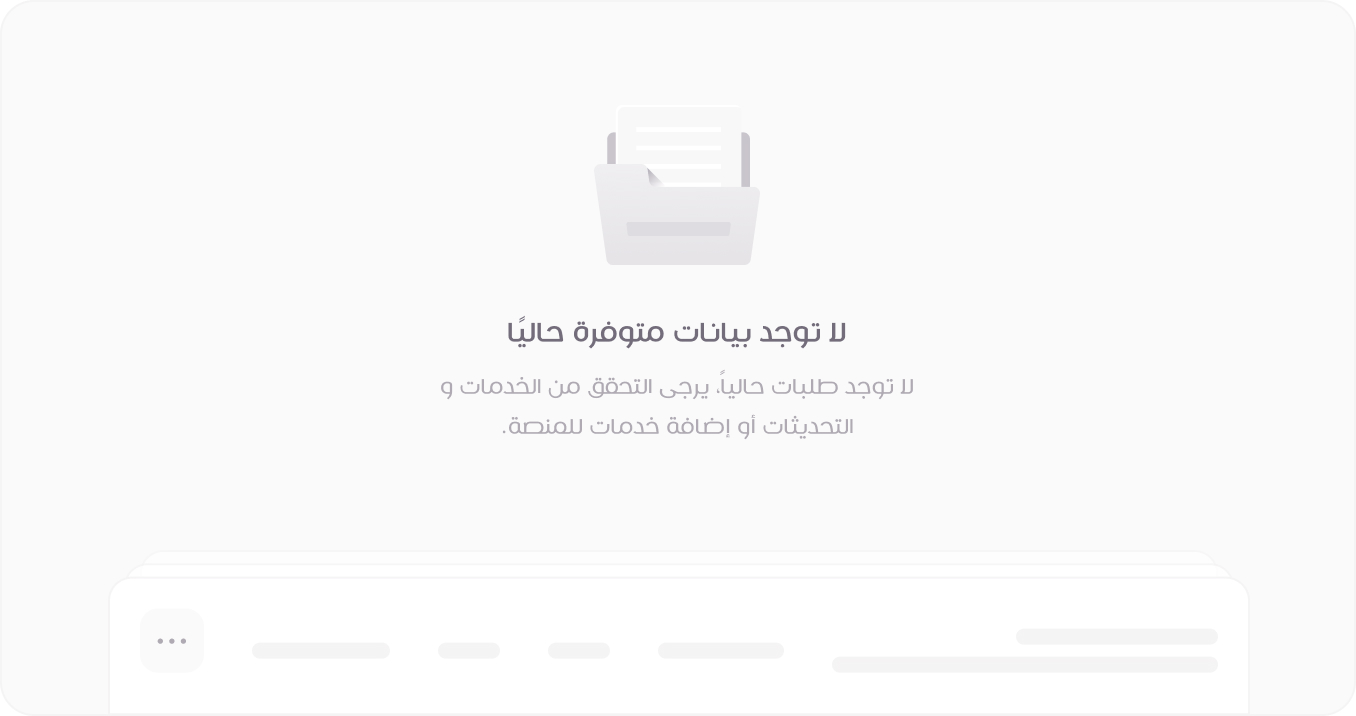
Empty Data State
Displayed when there is no available data in a section. It informs users that no records exist and provides guidance on next steps, such as adding new data or checking system updates.
View Mode
HTML
<section class="empty-section">
<img class="empty-section__banner d-light-block" src="images/folder.svg" alt="">
<img class="empty-section__banner d-dark-block" src="images/folder-dark.svg" alt="">
<h1 class="empty-section__title">لا توجد بيانات متوفرة حاليًا</h1>
<p class="empty-section__desc">لا توجد طلبات حالياً، يرجى التحقق من الخدمات و التحديثات أو إضافة خدمات للمنصة.</p>
<img class="empty-section__bg d-light-inline" src="images/table-row-placeholder.svg" alt="">
<img class="empty-section__bg d-dark-inline" src="images/table-row-placeholder-dark.svg" alt="">
</section>
<!-- Usage Example -->
<DefaultEmpty
    title="لا توجد بيانات متوفرة حاليًا"
    desc="لا توجد طلبات حالياً، يرجى التحقق من الخدمات و التحديثات أو إضافة خدمات للمنصة."
/>

<!-- Vue Component Code Block -->
<template>
  <section class="empty-section">
    <img class="empty-section__banner d-light-block" src="/images/folder.svg" alt="" />
    <img class="empty-section__banner d-dark-block" src="/images/folder-dark.svg" alt="" />
    <h1 class="empty-section__title">{{ title }}</h1>
    <p class="empty-section__desc">
      {{ desc }}
    </p>
    <button
      v-if="actionText && actionFunction"
      class="btn btn-primary mt-3"
      type="button"
      data-bs-toggle="modal"
      data-bs-target="#new-user-st1-modal"
      @click="actionFunction"
    >
      <span class="tticon-plus-bold btn-icon"></span> {{ actionText }}
    </button>
    <img class="empty-section__bg d-light-inline" src="/images/table-row-placeholder.svg" alt="" />
    <img
      class="empty-section__bg d-dark-inline"
      src="/images/table-row-placeholder-dark.svg"
      alt=""
    />
  </section>
</template>

<script setup>
defineProps({
  title: String,
  desc: String,
  actionText: String,
  actionFunction: Function,
})
</script>
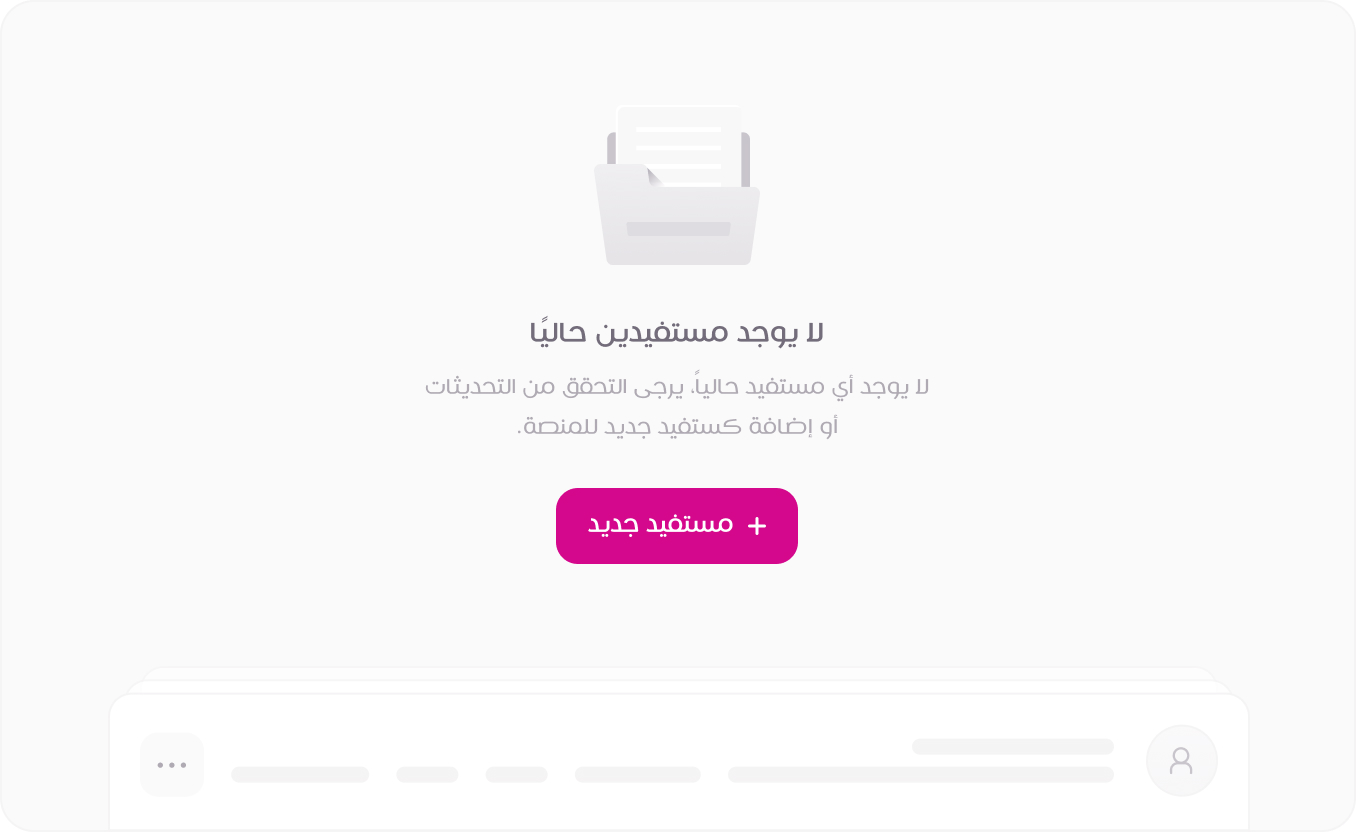
Empty Users State
Appears when no users are found in the system. This state suggests verifying existing entries or adding new users through an action button to encourage engagement.
View Mode
HTML
<section class="empty-section">
<img class="empty-section__banner d-light-block" src="images/folder.svg" alt="">
<img class="empty-section__banner d-dark-block" src="images/folder-dark.svg" alt="">
<h1 class="empty-section__title">لا يوجد مستفيدين حاليًا</h1>
<p class="empty-section__desc">لا يوجد أي مستفيد حالياً، يرجى التحقق من التحديثات أو إضافة مستفيد جديد للمنصة.</p>
<button class="btn btn-primary mt-3" type="button" data-bs-toggle="modal" data-bs-target="#new-user-st1-modal">
<span class="tticon-plus-bold btn-icon"></span> مستفيد جديد
</button>
<img class="empty-section__bg d-light-inline" src="images/table-row-placeholder.svg" alt="">
<img class="empty-section__bg d-dark-inline" src="images/table-row-placeholder-dark.svg" alt="">
</section>
<!-- Usage Example -->
<DefaultEmpty
    title="لا يوجد مستفيدين حاليًا"
    desc="لا يوجد أي مستفيد حالياً، يرجى التحقق من التحديثات أو إضافة مستفيد جديد للمنصة."
    actionText="مستفيد جديد"
    :actionFunction="showAlert"
/>

<!-- Vue Component Code Block -->
<template>
  <section class="empty-section">
    <img class="empty-section__banner d-light-block" src="/images/folder.svg" alt="" />
    <img class="empty-section__banner d-dark-block" src="/images/folder-dark.svg" alt="" />
    <h1 class="empty-section__title">{{ title }}</h1>
    <p class="empty-section__desc">
      {{ desc }}
    </p>
    <button
      v-if="actionText && actionFunction"
      class="btn btn-primary mt-3"
      type="button"
      data-bs-toggle="modal"
      data-bs-target="#new-user-st1-modal"
      @click="actionFunction"
    >
      <span class="tticon-plus-bold btn-icon"></span> {{ actionText }}
    </button>
    <img class="empty-section__bg d-light-inline" src="/images/table-row-placeholder.svg" alt="" />
    <img
      class="empty-section__bg d-dark-inline"
      src="/images/table-row-placeholder-dark.svg"
      alt=""
    />
  </section>
</template>

<script setup>
defineProps({
  title: String,
  desc: String,
  actionText: String,
  actionFunction: Function,
})
</script>